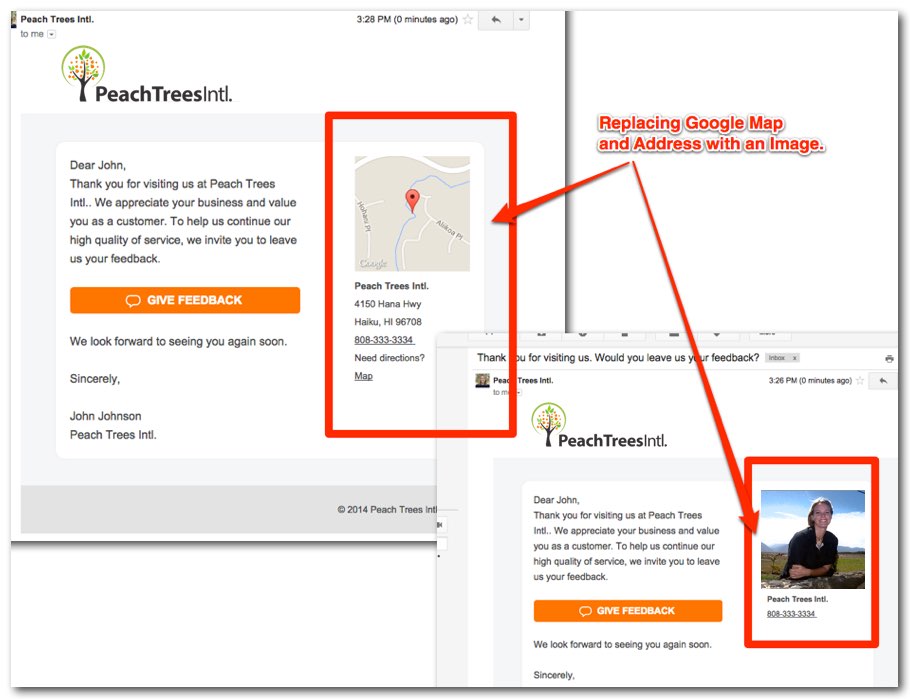
This post shows you how to replace the Google Map in Emails.
If you are running an “online business” or a “home-based business” you may not want to display a Google Map and Address.
Uploading an image will omit the business address and replace the map with the image.
1) Log into your account
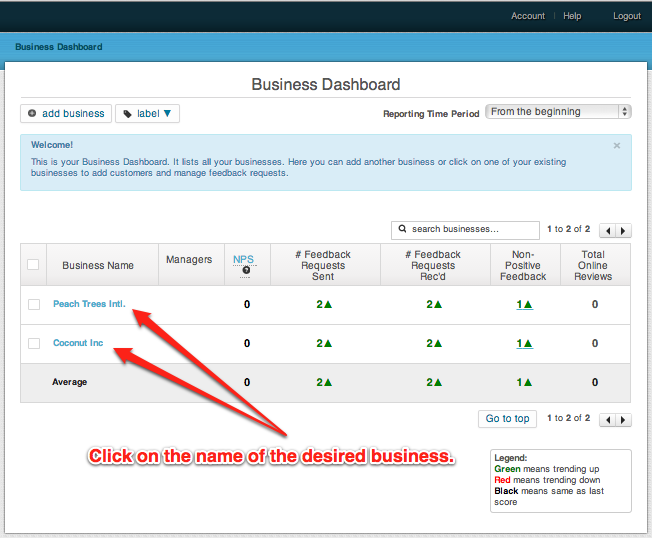
2) Click on the Business you would like to edit the template for.
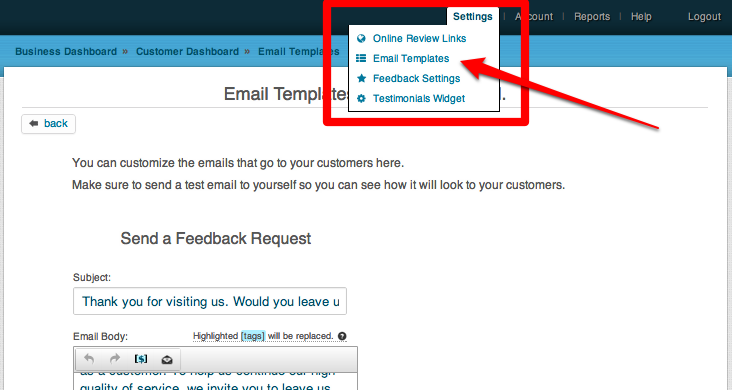
3) In the menu on the upper left click on “Settings -> Email Templates”
4) Scroll to the very bottom of the page and upload an “Email Image”
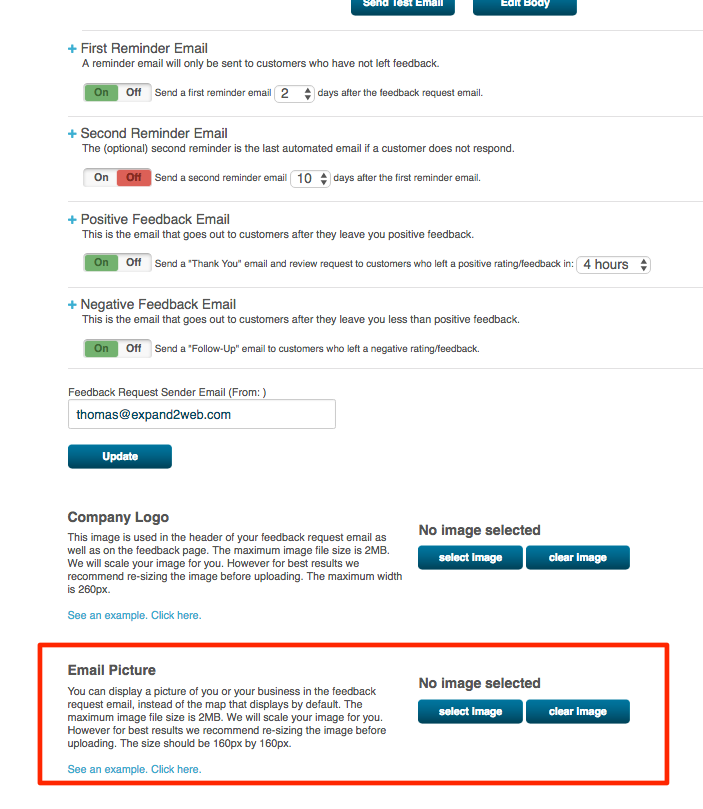
For best results re-seize your image before uploading to 160px by 160px. The following formats are supported: PNG, JPEG & GIF
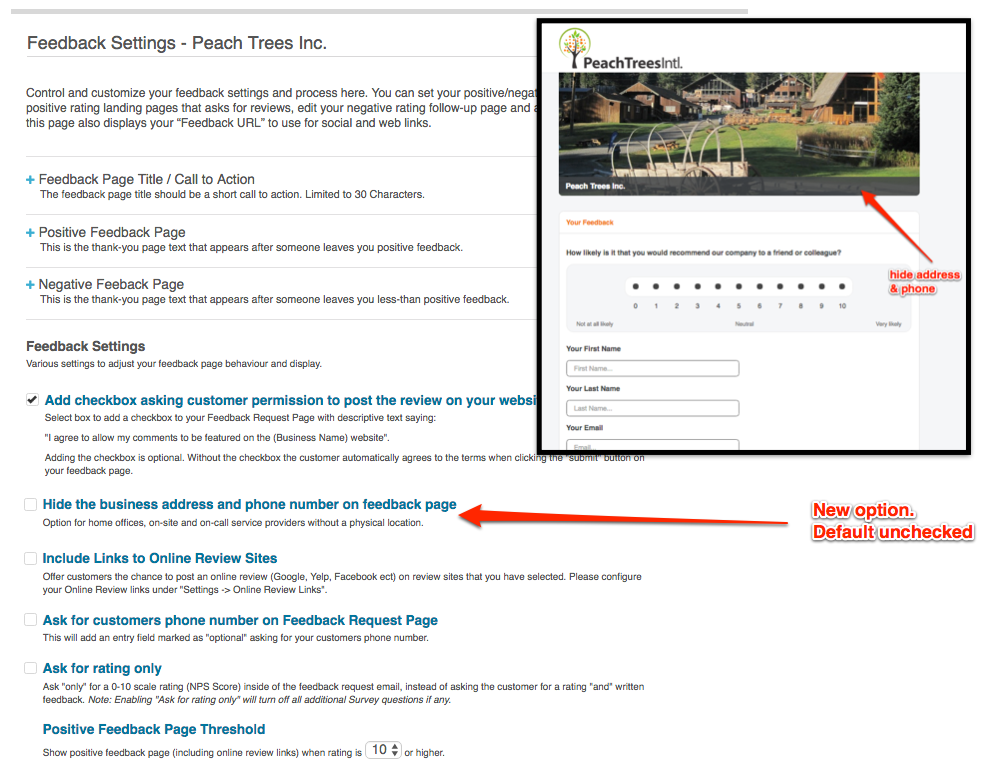
5) Optional: You can also hide the address on your Feedback page. Go to
‘Settings->Feedback Settings” and click the checkbox as shown in the screenshot below.